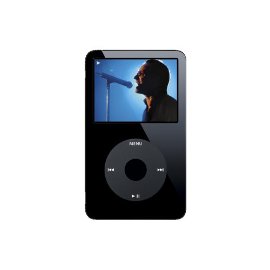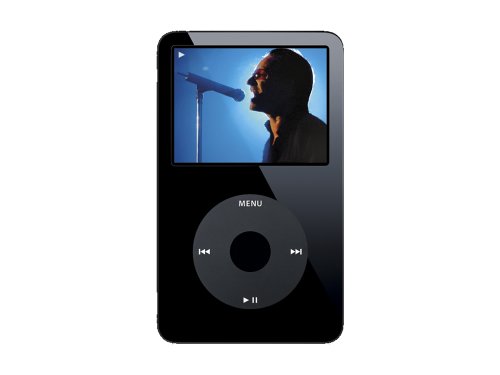
"What can I say It's an IPod" | 2007-08-07 |
| - Reviewed By germanalvarezvictoria |
Been using it for a year now and never had any problems, battery life is excellent, but i think i bought too much of a capacity have used only 27GB max ;)...
My best buy so far! |
| |
"Pretty happy" | 2007-07-16 |
| - Reviewed By User: A1L6QDJ9LV2874 |
| It's nice... gives me options with plenty of disk space... I like to store a lot of pics... it's nice when you're on the go... also hooks up to my HDTV... I'm pretty happy with my iPod and would definitely recommend one to anyone.... |
| |
"Best iPod Ever" | 2007-07-02 |
| - Reviewed By katiefloyd |
I love my 60GB Video iPod- there's plenty of storage room with all my music, photos, videos and room left over to backup my data. If you look at the price per Gigabyte, this is without a doubt the most cost-effective iPod model. The Battery lasts for hours upon hours when playing music and still for several hours when watching video. I love the fact that I can hook this up to my TV with a video cable and watch my video on the big screen. It also works great when coupled with the dock and remote, before the Apple TV, this was the best way to watch my iTunes movies and videos on the big-screen from my sofa.
The iTunes software works great for managing all my media and the sync process is easy and fast with the USB 2.0. Just plug it in and go. I was really surprised at how clear the video screen was - yes it is small, but it's fine for occasional viewing such as when on a trip. Made my 8 hour overseas flight much more enjoyable. I also bought an iPod compatible stereo for my car and now I rarely use anything else. Great for podcasts and audio books, especially for long commutes.
Oh yeah, and last but not least- it's absolutely gorgeous. |
| |
"A few bugs but great service" | 2007-06-15 |
| - Reviewed By User: A2I6M191WNO3XR |
My husband got this for me for my birthday and I have used it non-stop ever since. It crashed several times, no one knows why, and I took it to the local Apple store and they replaced it for free. Great product and great price |
| |
"iLove my iPod" | 2007-04-19 |
| - Reviewed By wwjdkarl |
| Enough said. I was a long time hold out, but I'm so glad that I gave in. Great for travel and home. |
| |
"Apple still have major reliability problems" | 2007-04-04 |
| - Reviewed By User: A34RQ43FE301ED |
| First unit stopped working within first year. Even the replacement unit stopped working in 3 months. Apple will not cover second unit failure in warranty. Apple still have a serious reliability problem in my experience. |
| |
"The care needed for this amazing device" | 2007-03-26 |
| - Reviewed By _red_ |
After purchasing the Apple iPod Black 60GB last September 2005, I noticed that once the clear seal which protects the screen and iPod wheel was taken out, I found the surface to be very sensitive. The surface is succeptible to scatches easily. If you are planning to own this device, I suggest that you purchase adhesive plastic cover or iPod skin to protect your investment. Other than that, the iPod 60GB is an amazing device that can fit approximately 20,000 songs depending on track lengths and MB size.
Looking for new music? iTunes, the desktop companion to the iPod, offers one or two free songs every Monday online. Want Podcasts on your favorite topics? No problem, just use iTunes search engine to see if it's available in the iTunes website.
Planning on using your iPod during long drives? Purchase the iPod iTrip which easily fits underneath your 60GB player. Look for a clear station on your car stereo and start dancing or singing away! |
| |
"One of the greatest devices ever w/ a couple of pleasant surprises." | 2007-03-19 |
| - Reviewed By trivector17 |
First of all I've owned this 60 GB 5th gen Ipod for over a year now and it's been a blast to own. I often tell people that if it were any more versatile that I'd consciously use it in my sleep :). During the time that I've owned it it has been a snap to operate. ITunes is very easy to browse through and buying and transferring new songs to your IPod likewise is a snap (you can make $$$ disappear really quick while browsing ITunes :)). So far it's held up remarkably well I have my IPod in a simple case and I've dropped it a million times and thankfully it hasn't given me any problems. The worst was when I accidentally dropped it into a bucket of water I freaked out (naturally when you pay as much for something like this) the rest of the day it didn't work and I was bummed and thought I'd have to send it in, but remarkably the next day it worked again :). So in closing this is one of greatest devices ever is quite durable, worth the money, saves you the risk of sifting through 10 million CDs while driving, and is among one of my most valued possessions as in if I lost it I know I'd have to have another ASAP. After owning this wonderful device it's no wonder that there is so much competition trying to compete for a slice of the Apple pie. |
| |
"A Wonderful iPod" | 2007-01-23 |
| - Reviewed By threeeleven311am |
The 5th Generation iPod 60 GB from Apple is the perfect video and music player for anyone with enough movies or music to fill it up. So, first things first, I recommend searching for a smaller-sized model if you don't have a very large collection.
I have owned a 5th gen 60 GB iPod video for almost a year now and felt that it was a good time to write a review about it. I've read reviews from people who have complained about their iPod breaking and freezing, and I have my own input regarding this.
One of the abilities of the iPod is to play videos. The iPod will only play .mp4, .m4v, and .mov format videos, so be careful! iTunes DOES take care of converting videos for use with an iPod, but I'm not reviewing iTunes. Assuming you've converted your home movies for the iPod and have downloaded the latest season of your favorite TV show, it's now time to put it onto your iPod. Once you've got it sitting nicely on the 60 GB hard drive, you can access it in the menus and begin to watch. On a fully charged iPod, video playback is noted at up to 3 hours, and I've found no problem with this, though over time that length might decrease just like most electronic products over time. The video quality is superb on iTunes purchased movies and shows and the audio quality for those shows is just as good. With your own movies, it can be a different story. Basically you just need to make sure that the audio quality is good enough and the video resolution is good enough for the iPod. If you've succeeded in those two areas then the video should view GREAT! I have found that, over time, my iPod was filling up with shows and movies and I had little room to store other new videos. I would recommend regularly updating your iPod. This means that once you've watched a movie, if you have no future plans to watch it again, delete it off of your iPod. This way you can always save space for videos you may want to put on your iPod in the future. But remember: ALWAYS make sure to keep a "hard copy" of the video on your computer. Otherwise you may find yourself an unhappy camper.
Music has always been the main focus for the iPods ever since day one. My music has always worked GREAT on my iPod and I've never been failed. Many people have complained about the lack of an option to use alternative audio formats with the iPod. Unless you're looking to put all .wma files on your iPod, you won't be disappointed. The iPod works well with most usual audio formats. Just as long as you keep your non-iTunes Store music as mp3 audio you shouldn't have any problems. Audio quality is great for great quality audio. It all depends on the kpbs. 160 kbps is nearly indistinguishable from CD quality for most people. 192 kbps is a much larger file but is just the safer route. iTunes Store music sounds great at the quality they have set for all the music.
Podcasts work great with the iPod and work very similarly to music on the iPod, as they are all audio files. The only difference is that the iPod treats podcasts as they are and they have a separate folder within the iPod.
Photos work fantastic with the iPod too, and the picture quality is great for the most part. The size of the image you upload to the iPod has a lot to do with the quality. But for the most part, your standard digital camera pictures will look great.
I have not played any of the iTunes Store games that are available for the iPod but have heard good things about them all. I don't think this is a relevant feature for the 5th generation iPod at this point seeing as how there are so few games available for purchase. No outside source games are compatible with the iPod to my knowledge.
My only complaint with the iPod is the occasional freezing/slowing down of some media when playing it. This is largely due to the fact that this is a hard-drive based player, and most problems can be solved with a reset (pressing the menu and center click buttons at the same time and holding). My iPod has also been scratched a bit on the screen, even with a case. With proper care and treatment, this should not be a huge problem after prolonged use, and the scratches on my own iPod are due, for the most part, to my carelessness with where I put the iPod. If you put the iPod in a backpack that has dirt or sand in it, it WILL get inside the case you bought for the iPod, and WILL scratch the iPod if you do not remove it quickly. This is just common sense.
Overall the iPod is an extremely fun player to use and can be very easy to use, given that you actually read the instructions. Make sure that your bases are covered and you will be fine.
I would also like to add one last bit of information that will help some people, I'm hoping.
The Apple iPod has a TV-Out feature that is extremely useful for when you would like to hook it up to a TV and watch it at home with the family. Apple has a sleek little RCA cable that you can buy for a pretty penny to be able to hook the iPod up to your TV, but be assured that YOU DO NOT HAVE TO BUY IT. With these steps, you can have your iPod playing on your TV in NO TIME:
1) Go to a local electronics store and buy a standard RCA cable with the red, yellow, and white plugs on one end and a 1/8 inch plug (headphone jack) on the other. Again, YOU DO NOT HAVE TO BUY THE APPLE BRAND RCA CABLE FOR THIS. Don't waste your money. You can pick up a great RCA cable for a few dollars that will work fine for this feature. 2) Turn on your iPod and select your desired settings concerning TV-Out. I enjoy the Widescreen format and the "Always Ask" option ON. This ask option is just so that whenever I choose a video to play, the iPod will ask me if I want to turn TV-Out ON or OFF. 3) Once you've selected your desired settings, grab the RCA cable and plug the 1/8 inch end into your iPod's headphone hole. 4) Locate the analog input holes on your TV (red, white, and yellow) and grab the RCA cable. Here's the tricky part that Apple "accidentally" forgets you to tell you. Instead of matching colors and plugging the RCA cable into your TV, you've got to switch colors around. Plug the RED END into the YELLOW INPUT, the YELLOW END into the WHITE INPUT, and the WHITE END into the RED INPUT. Apple switched the way the composite video signal and analog audio signal comes out of the iPod on us! Once you've switched the colors around and you're plugged in, switch the TV to the channel or mode that matches with where you've plugged into, select a video to watch, select TV-Out ON if you haven't already, and sit back and relax! |
| |
"Better than expected!" | 2007-01-23 |
| - Reviewed By User: A3AXAC6M1DSPPO |
| I spent endless hours, days, months researching which MP4 Player to purchase. This product certainly exceeded my expectations in all aspects including sound, picture quality, and the ease of downloading music. However, I am disappointed that this product does not come with an AC adapter that it is optional along with software to download movies. Soon your iPod costs way more than the original purchase. |
| |