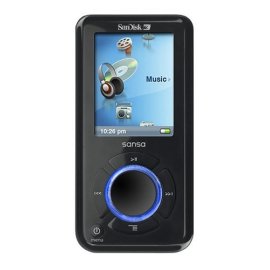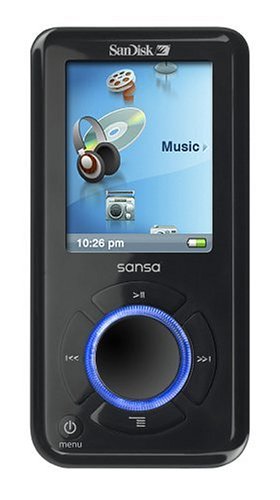
"5 stars!!" | 2009-06-18 |
| - Reviewed By User: A2Q74W276S4WU4 |
| Love that it has an expansion slot. The only issue I had was finding the right software to download movies onto my sansa, however, I was able to find it. Don't let this stop you from getting one!!! Great product. |
| |
"SANSA E270 PLAYLIST SOLUTION" | 2009-04-02 |
| - Reviewed By User: A23TWQ3902XZ2V |
I have been looking over SOME but not all of the reviews posted here, and perhaps I can be of some help. You can play an album in any order you like by creating a playlist with Windows Explorer (I am using Vista, I haven't tried this with XP yet). After you create the playlist and presummably rename it to match the album title, click the icon to OPEN the playlist, and from there you can set the order the tracks play, simply by moving them up and down in the list. Save the modified list by clicking OK. After that, I always move the newly created playlist to the playlist directory, also using Explorer. You can have several playlists for each album, and you can also delete songs you don't like from the list, and it will remain on the player for access by other playlists, or modes of play. Remember to set SHUFFLE to OFF in the Music Settings menu, otherwise it just plays the list in random order.
You can create multiple GO LISTS simply by changing the name of the GO LIST file to something else like GO LIST 1.pla. Unfortunately you can't do this from the player itself, but you can't have it all right?
I didn't see this problem listed here, although I didn't read all the posts, but sometimes the player "appears" to freeze up. In general it is not frozen,but rather "processing". For large playlists it takes considerable time to process the list before it starts to play. I was flustered with this the first few times I encountered it, myself. Just give it time, and it will eventually show the playlist and start playing. I have the King James Bible as one of my playlists, and it takes probably three minutes to start playing the tracks. This problem could be circumvented by making several "smaller" playlists.
Hope that helps. I have been very satisfied with my player thus far, and wouldn't trade it for anything.
|
| |
"Nice features but has fatal flaws." | 2008-11-23 |
| - Reviewed By User: A1Z6B3WUY2B2D8 |
There are many nice features in this device but the charging system is fatally flawed. They do not provide or even have a charger for the device. You must charge it from a computer USB port. You can NOT use the device while it is being charged.
The worst part is what happens when the battery dies when you are actively using the device. When you plug it into the computer for recharging, nothing happens. It will not recharge. You must reset the device by removing and re-installing the battery and then it will charge. To remove and re-install the battery you must have micro Phillips Head screw driver. The micro screws are so tiny that it all too easy to lose them and then it impossible to find them.
Until they fix these problem I can not recommend buying this device. There are just too many other similar devices on the market that do not have these fatal flaws. |
| |
"Adequate, but don't actually use that whole 6GB." | 2008-11-10 |
| - Reviewed By User: A25SF59UV5MYPY |
This product has all the basics: MP3, video, voice recording and FM radio. Its interface and sound quality are good, and its build quality seems solid.
However, if you actually *use* anywhere near the amount of storage the unit gives you, it will bog down to unusability. I filled the 6GB of storage, and used a 2GB MicroSD card as well. Every time I turn the unit on, it takes 40 seconds to get past the SanDisk splash screen, and a full 3 minutes to "rebuild the database" - every single time. Not only that, trying to change tracks tends to take 15 seconds or more to respond when you press the "track forward" button. According to what I have read from multiple sources, this is a firmware issue that SanDisk has failed to resolve. This is absolutely unacceptable in a unit designed to be an iPod competitor.
Also, I was led to believe that this unit accepted MicroSDHC cards up to 8GB, but this is false - it will only accept standard MicroSD cards up to 2GB. Had I known this, I might not have bought this unit at all. I will be trying the Rockbox firmware on it to see if it remedies any of my difficulties, but as-shipped this unit's performance is unacceptable.
/edit: I have installed Rockbox on this unit, and am far happier with its performance. While Rockbox has a few flaws in terms of ease of use and features, it boots and performs far faster and offers far more features than the default Sansa firmware. It also enables MicroSDHC cards to be used, up to 8GB. If you are going to purchase one of these units, I strongly suggest using Rockbox - it bumps up my opinion of the product from 2 stars to 3.5. |
| |
"Be careful with extra SD card" | 2008-11-01 |
| - Reviewed By User: A2ZR3BKKUULVEY |
| If you are thinking of buying an SD card to up the memory for your player, know this: it will only recognize SD cards up to 2GB. I went all out and bought an 8GB SD card only to find that the player wouldn't read it. I contacted tech support and they told me that there was no update available to make it read it either. Other than that, great player! |
| |
"super device for the price!" | 2008-09-07 |
| - Reviewed By User: APJGBWWYBWQW7 |
I think this device is super for the price! I paid about 80 dollars for my Sansa e270 mp3 player and I think it is alot better than the more expensive ipods. The difference between the two is the FM radio which sounds great and the voice/FM radio recorder that is great for notes, lectures or music. The best part about this player is micro sd memory card slot for extra storage space for music files or recordings 2 GB at a time. What I didn't like about this player is that you can't store videos or pictures onto the memory card. Also, I suggest to invest in a good pair of earphones. The ones that come with the player sound fair but the fit was poor. (always popping out of place) It would also be a good idea to get a silicone or rubber skin to protect it from falls and for a better grip. The player tends to slip from your hand when using the thumbwheel. Other than that, everything is good. |
| |