"The best choice" | 2008-08-31 |
| - Reviewed By jgutierrez@mail.com |
| I bought this printer after using the Dymo Label Writer 400 for almost a year ago. Finally, tired of changing label rolls and, because the former is still working flawless, I decided to buy another Dymo Label Writer one. This one was the best choice that I found (I should have bought this one instead of the former I bought). It also started and continue working flawless as the first one. |
| |
"Twin Turbo great but watch out if you have other Dymo printers" | 2008-08-18 |
| - Reviewed By User: A1AFHFME0G4XXF |
| I wished to be able to print both shipping and address labels with out the trouble of changing out rolls of labels so I bought the Twin to complement my LabelWriter Turbo 330. I continue to have problems with switching between the three functions even using the drop down menu selection. I am using the twin for shipping labels and postage. All in all, I am pleased with this equipment as I have used Dymo for many years now. |
| |
"Great for printing stamps and labels" | 2008-06-23 |
| - Reviewed By regbrad |
I've been using this for 2 years now. It's been happily chugging along. No problems.
If you're looking for a scale go go along with it I'd recommend the USPS Postal Scale which is $65 at the time of this writing and it'll weigh up to 30lbs. Other options for scales weight 5-10lbs at $80+. If you're searching Amazon you'll want to search on 'usb postal scale' as it won't come up under 'USPS Postal Scale'. |
| |
"It Just Works" | 2008-06-04 |
| - Reviewed By jarededit |
| I have a Mac-based home office and need to print only a handful of labels and postage each day. The Twin Turbo just works. Incredibly simple to install and use; incredibly simple to order new labels; incredibly simple to refill the postage meter. The included scale doesn't handle big or heavy packages, but I didn't need that and so didn't really care. Mac users - the software is very well designed, opens very quickly, and has worked perfectly on my Core 2 Duo (2.33) iMac (using both Tiger and Leopard). |
| |
"Great Label/Stamp printer." | 2008-05-02 |
| - Reviewed By User: AUIJWQDGCU7EN |
| I had the Turbo 400 and it was great till I got tired of changing rolls. Ipurchased the twin turbo, now life is sweet. Love it. Wish it had an on/off switch. I may put in a line switch to solve this minor issue. |
| |
"Perfect performance, easy installation." | 2008-03-15 |
| - Reviewed By thatcher8 |
Being the third or fourth Dymo LabelWriter I've had, this thing is a super time saver in the workplace. I manage the IT function entirely at a manufacturing facility. From labeling DVD's, CD's, to printing asset tag labels or lease labels, address labels, this thing works wonderfully.
The software is fairly easy to use, and allows you to save templates for later retrieval and usage.
The only draw back I've ever found with the Dymo system is that I often don't keep the boxes the labels come in-- each role/type of labels has a unique number, and that's how you choose the proper label template when printing. So.... I end up guessing. The labels don't have that number written on the center of the roll or anything.
I also have a personal Dymo at home for postage printing. Being that the post office is removing all 24 hour vending machines soon, this will come up for even more use.
I've never had a mis-feed or jammed label. Always crystal clear printing, no smudging, scraping or any other print quality issues.
The unit is easy to load and unload.
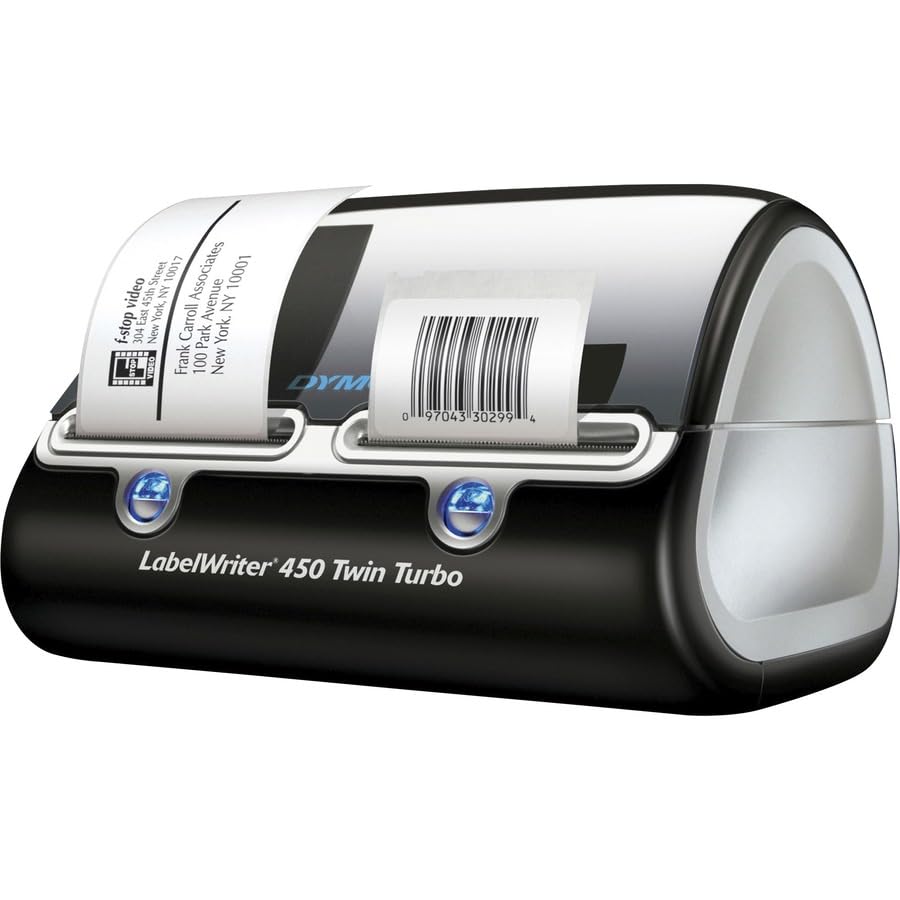
One draw back is that I have my computer set up in my bedroom. There are blue LED lights on the front on the unit which is the label advance button (rarely used). Those little suckers are so bright I sometimes turn the unit around to keep from waking me up at night! |
| |
"Love It!" | 2008-02-08 |
| - Reviewed By User: A803DY1Z9HVKZ |
| I love the convenience of being able to print postage and address labels. It is especially nice not having to switch labels rolls. The address book feature is great. Once you enter a label you can just add it to your address book for later use. |
| |
"neat gadget for your home office" | 2008-02-02 |
| - Reviewed By palex9 |
| i dont mail that much, but i still prefer a nice printed label to addressing by hand. although not really difficult, inserting the rolls is a pain, that why i would recommend anybody that wants to print labels and postage the twin turbo. plug ins for the new mac office 2008 are not out until march i was told, so basically its the included software which does an ok job, but is not really fancy or feature rich (at least the mac version). only giving 4 stars because the labels seem overpriced to me but thats probably the old razor and razorblade gimmick. |
| |
"Twin label rolls make for convenient label printing" | 2008-01-18 |
| - Reviewed By gmcjpc2 |
This unit was added to the single roll version of this unit which I have had for 3 years. Having two different types of rolls of labels is what I needed: one roll for standard ad hoc addressing of envelopes and one for custom postage stamp printing. I have only done a stamp or two, and this unit may save me some time -- prorated, it costs about 9 cents at today's label prices for a stamp label. That is in addition to your postage costs. And if you are buying this just for stamp printing, be advised that the vendor currently does not offer refunds for any stamps that may misprint or jam. You load up a credit with the vendor and once you buy postage, it is subtracted from you credit even if the label jams or misprints. But that is really not a Dymo issue.
This unit is quiet and FAST. No ink or toner means all you ever have to buy are the labels, and a roll lasts me quite a while.
Some of the features of this unit include being able to put in some really esoteric label sizes, but I just need the standard address labels.
I look forward to years of trouble free service from this unit. If you think you would not have use of a double roll unit, the single roll unit works just the same and is a bit more affordable.
|
| |
"Great little printer" | 2008-01-07 |
| - Reviewed By lynks |
I initially purchased this printer to be able to print mostly postage stamps and address labels. However after setting it up I decided to use it with an Access program that runs on our network. The program prints letters to one printer and address labels to the Twin . Depending on the data that is pulled, this could be 6 labels or 100 labels at a time. It printed perfectly for the first 2 weeks. After that it would print a few labels, then print two addresses on a label and then jam. I called Dymo and spoke to Tech Support. The rep knew his product well and was friendly. He informed me that the motor was probably bad. Because my purchase fell within the first 30 days window, Dymo FedEx'd via 2nd a new printer to me and I simply had to then send them back the bad one (they paid returned shipping). The tech informed me that if my purchase had been past the 30 day point, I would have to send them the printer first and the company would then FedEx a printer back to me (this still wasn't too bad).
So all in all I think this a great little printer and wouldn't hesitate to buy another one. Had I not experienced the problem with the motor so soon after purchasing it, I would have given this 5 stars! |
| |