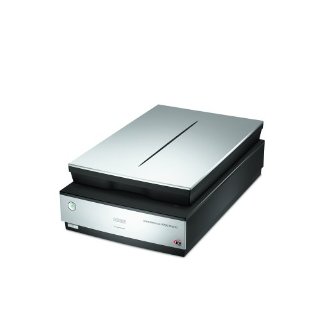
"Epson V700" | 2008-09-15 |
| - Reviewed By User: A2IU4LB0R6GS9N |
Epson Perfection V700 Photo Color Scanner Easy to use, fast, quiet. A vast improvement over my old scanner. |
| |
"Epson Scanner" | 2008-08-04 |
| - Reviewed By User: A2Q18BIIYWXE3L |
| The Scanner and the Element 4 software are excellent. The Silverfast software that offered so much promise is very poorly documented and I was unable to get it setup or deleted properly from my computer (Mac). The scanner results using Elements IV to recover old damaged slides and negatives is terrific. The ability to scan up to 12 slides at a time is a great convenience. I have 30,000 slides and while it will take a lot of work the product will allow me to put all the material on CDs very cheaply. |
| |
"Thumbs up for the Mac!" | 2008-07-23 |
| - Reviewed By nickoftimeproductions |
| No major review, just to say that it worked right out of the box on my Mac (Quad-Core) and was no trouble to install, configure and use. Scans previews very quickly, and final scans are also fast and good quality. I use it for documents, photos, some slides. Image prep for websites and archiving paperwork for the files. Would recommend this one. Only drawback is large physical size, so be sure you have room for it on the desk if you plan to leave it out. |
| |
"You've got to be kidding me!" | 2008-07-20 |
| - Reviewed By User: A3HDWS4AV1A6ZC |
For 500 dollars the least the manufacturer could do is throw in some film holders that aren't absolute garbage. I shoot medium format film through a Fuji GA645, a camera justifiably well known for having a razor sharp lens, near perfect exposure, and to-die-for autofocus. Imagine my surprise when my first negatives scanned soft and out of focus.
So I poke around Flickr a bit and discover that film laid flat on the scan bed with the film holder pressing it to the glass gives markedly better results than actually inserting the film in the holder as instructed by Epson. 10 minutes of swearing while trying to accomplish this not so easy feat (go ahead and try for yourself), and 20 minutes of scanning (while still swearing) later, I discover that, lo and behold, the Flickr folks are right.
Negatives flat on the glass scan vastly better than negatives in the holder. In fact, at 4800dpi, negatives flat on the glass so exceed my needs that I turned the resolution down a notch. I'll go one step further and say that if Epson had included film holders that weren't total GARBAGE, i.e., a double glass plate system designed to hold the negative at EXACTLY THE FOCAL PLANE, I might be giving this system five stars instead of one.
I don't know what misbegotten moron over at Epson decided to cheap out, and I don't care. I'll be searching the web for some sort of film holder that actually, you know, WORKS, (or other solution, maybe I can design and manufacture my own, get rich fixing Epson's grievous failings) since laying it on the glass in perfect alignment without curl or dust is such a monumental pain. If I can't find a solution shortly, this thing is going to be returned, and good riddance.
It'll be a cold day in damnation before I buy another Epson product.
EDIT: Ok, it is possible to get somewhat decent scans out of this heap. Follow these instructions:
First, turn your film holder over and pull out the little feet. Turn them around 180 degrees so the arrow points toward the plus sign, then put them back in. For some reason the focal plane is a bit high off the glass, about 3.5mm. Guess how high the feet are set at the factory? If you guessed 3.0mm, give yourself a gold star.
Way to go, Epson, you big wet bag of smelly FAIL.
If that doesn't work, then turn your Adjustment Options completely off and run a test scan. According to the Photo-i review I read, Digital ICE in Quality mode is garbage, while Digital ICE in Speed mode is actually somewhat useful. Your mileage may vary.
If your scans still look awful, plug betterscanning into your search engine and go buy a new film holder. Everyone that's ever used those aftermarket jobbies (that I could find, anyway) says they see a marked improvement. As it is apparent from even web sized photos that they're designed and constructed better than the OEM GARBAGE, I can see why.
For real black and white film (not the chromagenic C-41 process stuff, scan that stuff just like color, only with Image Type set to 16 bit grayscale) turn off all the adjustment options except possibly Unsharp Mask. Of course, since you're going to be slowly going crazy in Photoshop with the Spot Healing Brush taking out all the dust, you might as well turn that off too, since even at Medium the Unsharp Mask sometimes gets a bit of aliasing on diagonal lines.
I reiterate: You could not pay me enough to own another Epson product. |
| |
"Great Scanner, Terrible Packaging by Amazon" | 2008-07-04 |
| - Reviewed By User: A1I8LOOPIP5ELR |
| The scanner seems like a very well-constructed, quality piece of equipment. I haven't had much experience yet but had it up and running quickly and am impressed with the scanning of slides using Epson software and default settings. The really, really bad thing about my experience was Amazon's poor shipping and handling. I purchased my first V700 a month ago and returned it because both the shipping container and epson box were severely punctured. The shipping box was much larger than the Epson box and had almost no packing in it. I thought this was probably not the original box, was probably added somerwhere along the route, and sent it back and ordered another scanner. It arrived yesterday in the same kind of box, almost no packing, with damage and coming apart at the seams. I took a chance this time and the scanner seems to work fine. Amazon used to be a class act. What happened? I would never order another expensive electronic item from them until their shipping problem is resolved. |
| |
"Works great" | 2008-06-14 |
| - Reviewed By User: A38M3ARVJX6N8Z |
| I bought this scanner for a bunch of old slides my grandma has from the 40's until about the mid 80's. It works great, I'm happy with the results. I'm using it under Linux. I purchased Vuescan for the software. Nothing bad to say. |
| |
"Good scanner, not such a good company" | 2008-02-08 |
| - Reviewed By jdubetz |
| The scanner is pretty good, but Epson no longer deserves a high reputation as a company. They advertise, for example, that your package includes Adobe Photoshop Elements, but what you get is Elements version 3, which has been obsolete for 3 years! Elements 6 is the current version. And,if you check their website there is no provision to make general contact to register a complaint. |
| |
"I blew it" | 2008-01-10 |
| - Reviewed By bosco@us.ibm.com |
I got this scanner to replace my perfection 1640SU which was working perfectly and suited my needs. I end up scanning at 1200 DPI anyway. The main problem is that the multi-strip frames (35mm or 120)absolutely do not work so I always scan using the film area guide and no individual templates like I had on my 1640 are provided to assist this. It does scan faster and it did permit me to fully scan all of my 6x17 negatives and slides which I could not scan on the 1640...so at least I got something for my money. Oh yes, it does come with Lasersoft and has a reasonably good version of its own, but if you are using CS3 for everything, what's the point?
Once you get the negatives positioned correctly and reasonably flat (a bit tricky with 120 film), the film scans are beautiful, exceeding what I can get with my digital SLR. |
| |
"Pricey, but worth it!" | 2007-12-12 |
| - Reviewed By User: A2UB218OPI8BPI |
| I did a lot of research on scanners before I bought the V700. My requirements are to be able to scan everything from 35mm slides and negatives to 4X5 transparencies and negatives. This replaces an older Epson flatbed/film scanner that I thought was doing a good job, until I scanned the same negative on the V700. Holding the resolution constant between the two, and scaning the same 4X5 BW negative, the scans seem sharper with better contrast. Controlling a scan is easy with the provided software. I have scans from a dedicated 35mm film scanner and find that scans from the V700 range from nearly as good to better than the dedicated scanner results (all run at 3200 dpi). It installed very easily into Adobe Photoshop CS3. I definitely recommend it! |
| |
""It does a great job on my old slides."" | 2007-11-29 |
| - Reviewed By User: A3Y6JONG2AES9 |
I have been looking some time for a way to scan about 2500 old slides to my computer files. I didn't want to send the slides off to be done for fear of them getting lost. I didn't want to purchase a drum slide scanner just for that purpose and would not get used anymore.
Someone pointed me to the Epson V700 flat bed scanner. I could not be more pleased with the reproduction of my slides which were in varying condition. Some were taken in the early 50's with an old Argus C3, 35mm up to the 80's with the film 35mm SLR Cameras of the time. I am an "old timer" with some experience in amateur photography and as far as I am concerned the V700 has done an amazing job in restoring my slides, some to better than origional condition. The Epson software worked great for what I needed. It had a professional mode, but I used the Home mode, which gave me some editing to get the resuls I needed. The reproduction of the color was great in many of the slides and overall reproduction on all the slides was better than I had hoped for.
I recommend going to www.Photo-i.co.uk/Reviews/interactive/Epson%20v700/page_1.htm for a complete review of the V700. It really helped me in making my choice. |
| |