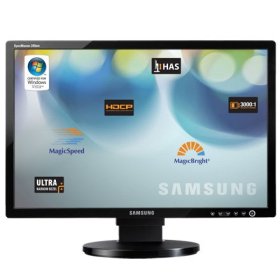
"Fantastic, but don't rely on it as your primary monitor; Samsung service OK" | 2009-10-26 |
| - Reviewed By elakdawalla |
I absolutely love the crisp, sharp detail, bright whites and black darks on this monitor. I use it as a second monitor attached to a laptop. I use it to process digital images from spacecraft, which contain lots of black black space and bright whites. The range of contrast that this monitor can produce is a thousand times better than my laptop's screen -- whites are much brighter, blacks are darker, and all of the detail is crisp.
The reason I can't give it five stars is because, like several other reviewers, after some time (not quite two years in my case) it suddenly began flickering. The warranty is three years, and Samsung repaired it under the warranty with no hassling; it was really a very painless process of reporting the problem on the Web, printing out a prepaid UPS shipping label, bringing it to UPS, and waiting. I received an email from Samsung within a couple of hours of its arrival at the repair location, and less than 48 hours later it had been repaired and put on the UPS truck to come back to me. But since all shipping was ground, the whole process did take more than two weeks. Because this is only a secondary monitor, I was able to cope without it, but if this had been my only monitor, I would have been pretty exercised about the delay. And I'm not sanguine about its survival much beyond its warranty period. But it will be beautiful -- and affordable -- while it lasts. |
| |
"great monitor - analog and digital inputs quite handy" | 2009-07-27 |
| - Reviewed By User: A1UAYZ2Y6W064I |
The Samsung 24" provides a 16:9 aspect ratio that is great for doing image editing and working on spreadsheets. It has dual inputs than than be switched from a button on the front of the display. This makes it possible to use two computers and have them share a single monitor. I use mine with an analog input from a Windows PC and the digital input from a Mac Pro workstation.
The color is excellent and easy to adjust with a calibration tool. I find that the colors I see on the monitor accurately reflect what I get from my printer and from prints from the pro lab I use. I have had a difficult time achieving this with NEC LCD monitors I have used in the past.
The small frame is something I also like as it seems to make the monitor visually smaller. I wanted a monitor without speaker as I use a separate setup for sound anyway and did not want the extra size they add to the display.
I could not get the display low enough on my desktop with the stand that comes with the monitor which is something I have encountered with every display I have bought. The designers continue to ignore standard ergonomics and average desk heights and have displays that are too high even on the lost position possible using the manufacturers' stands. The Samsung does use the industry standard mount so it was easy to switch it to a cantilevered arm to hold it above the desktop at the perfect height for my needs.
|
| |
"price not performance" | 2009-05-30 |
| - Reviewed By User: A2541WPVQU8B0H |
I bought 9 of these displays for my artwork.
The viewing angle (vertically) is inferior to other displays -- there are distinct color change as one changes the vertical viewing angle. The monitor does not reset correctly if an Intel/XP computer powers-up AFTER the monitor (an analog to digital switching problem?)-- ugly yellow striations appear on the display -- re-starting the diplay fixes the problem (I use DPMS to do this). Of the 9 I have had two failures: one quite early (warranty replacement was very good) and now a second one has gone bad.
The price is good, though the price fixing scandal (a $200M fine?) worries me. But there is only three real sources of LCDs : Samsung, LG/Philips and Acer.
CliveMcCarthy@hotmail.com |
| |
"Samsung is the industry standard" | 2008-12-09 |
| - Reviewed By imann08 |
I have owned this monitor for about 6 months now. I run a dual monitor setup that includes a Samsung 244T which is about a year and a half older. I hear many people talk about the difference of the viewing angle between the two and how it makes a huge difference and that they have to move their heads around to make sure they are getting the hot spot on the screen with the 245BW. I look at a 244T which has a 178 viewing angle and this monitor which is at 160 everyday for hours right next to each other. If price was not an option I would still probably get this one over the the 244T. This may be because the 244T is not a current model but when price is added into it, I can't see the 245T being worth a $200+ difference in cost. The 244T did come with magic rotation and the 245BW did not and that can be a nice thing to have for some although I do not use it myself.
With that said, this is all very subjective and both monitors are excellent. Ever since owning these monitors, I would never own another brand of monitor. Whether you get the T model or the BW or some other less expensive model, do yourself a favor and buy a Samsung and you will be happy with your purchase. |
| |
"5 months later and dark grey lines appear" | 2008-10-22 |
| - Reviewed By User: AU1JMBHDGU4YC |
I rotated the monitor, and black lines went away but for how long ? Not acceptable for a brand like Samsung. Monitor does have 3 year warranty, but from what I read on here, it's gonna take me a while to get a replacement and even then i might to need to replace it. Stay away from it, go buy a Dell monitor. My 18 inches flat Dell monitor from October 2002 is still working flawlessly. Even my Digiview from early 90's never had dark grey lines...
I'll post an update soon. |
| |
"Great monitor with some idiotic design choices." | 2008-10-18 |
| - Reviewed By User: A2W72D2331JSSH |
Let me start by saying that I really do like this monitor. The size and resolution (WUXGA) are perfect if you do a lot of programming or any other activity that requires a large number of open windows. Color reproduction seems fine and it arrived with no dead pixels. I've seen complaints about the viewing angle, but haven't had much of a problem with it. If you need a wider viewing angle, get something more expensive than a TN panel. The stand it comes with doesn't let it rotate. You'll need to get an aftermarket one for that, although the viewing angle limitations might be more apparent in a portrait orientation.
Now for the bad. Engineers at Samsung decided to not only make this monitor have a glossy black bezel but also to give it a piercing bright blue LED. Both of these are brain-dead choices which blemish an otherwise great monitor. The shiny bezel reflects any and all light sources in the room, including the back-light of the monitor itself. It's annoying, but you get used to it. The bright blue power light, however, is a major distraction, especially when it starts flashing while in power save mode. I have this in my bedroom and it's like having a tiny rave being thrown in the night. While using your new monitor, you'll find your eyes drawn to the retina searing indicator, a vital constant reminder that the screen is, in fact, receiving power confirming that the legally obtained public-domain video you are currently watching is not an illusion. In this case, putting a couple layers of masking or electrical tape over the light to block it out is your only option. I don't pretend to understand the industry's current fetish with bright blue LEDs on everything, but it leaves me wishing bad fortune upon Shuji Nakamura for all the ways his invention has been misused in recent years.
Other than that, this is a great monitor. It could maybe use a few more inputs on the back (like a component input, although I think that the 'TV' version of this monitor may have that), but if you buy this, you'll likely be happy with your purchase. (After you cover up that damn LED!) |
| |