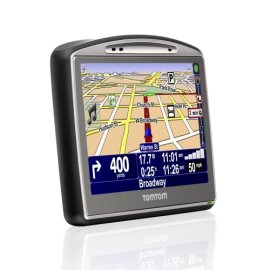
"Very good. Not many Points of Interest." | 2010-01-17 |
| - Reviewed By AWN from Orlando, FL |
This is a nice GPS unit.
Pros:
-good screen
-good signal
-easy to use
-great customer support
-nice window mount design
-very portable
Cons:
-battery life is weak
-the points of interest are very limited, and almost useless
|
| |
"Reliable but I have a few peeves" | 2010-01-09 |
| - Reviewed By R. P. from Chicago, IL |
I used this GPS when I moved to Miami for a few months, so it was a good test since i knew nothing about my way around the city.
Pros:
1. The dashboard is bright and easy to follow
2. I love the Point of Interest feature, I did not know where anything was in Miami and I was actually able to pull up a target or a mall closest to wherever I am, and it is precise.
3. The lane warning is decent, and it's important so you don't miss your turns.
4. The favorite feature is also very convenient.
5. Lastly the alternative route feature is very good. I've used it several times to avoid traffic and it went through for me.
Cons:
1. Dashboard - I don't like how I don't see the battery meter until I actually run out of battery, then it flashes. I looked to see if there is an option to keep it on display but could not find it.
2. The battery itself! There is no electric adapter (just a car charger) that comes with it. You have to plug it in your computer to charge it, while you update the GPS. Battery life for me is about 1.5 hrs of driving if I start fully charged.
3. This GPS WILL take you through the shortest distance if you chose that option. I've found myself several times, being taken around really odd places though. Once I tried to go to a major car dealer in Miami, and I ended up going through some areas where I don't think people pass through. I got to where I was going in a short time, but the whole time I was thinking where is this thing taking me? In short, I found out there was a better way of getting there without going through the inconvenient, "creepy route" with many turns.
It is still best to have a map in your car to correlate the route that the GPS gives you. Since this is only a machine please use common sense, and know where your North, East, South, West is :].
All in all, the TomTom 720 was able to do its job. This GPS did not get me lost, or taken me to a wrong destination. I don't think I would have gotten around Miami with ease without it. Definitely made my life easier as to giving me an idea where the supermarkets, malls, and gas stations are, even the closest library. :)
I have not used it for a road trip yet. I almost did once, and checked it against google maps and it was the same. Hope this review helped.
|
| |
"Functional and Effective" | 2010-01-06 |
| - Reviewed By CanadianJon from Michigan, USA |
Let me begin by saying, this product is a good device. It is everything I expected it to be for the money that I paid for it. When I purchased the TomTom GO 720, I knew that it was discontinued and I didn't expect it to be the best possible product on the market. That's not what I was expecting. I had been using a Garmin that my wife has. It was a tiny screen and everything was accessed through a scroll wheel and 2 buttons. This was a nice leap into updated technology.
The most significant pros are as follows: The touch screen is easy to use and understand. Even if you have giant sausage fingers, you can access all the options with relative ease. The Screen is also a great size and it's easy to read the on screen information like arrival times and current speeds. The voice-directions are also fairly clear - but you have to pick one that's not too strange. There are a few that I couldn't even fathom having as my co-pilot.
The most significant cons are these: The touch keyboard is not as nice as it could be. I find that I have to 'aim low' when I am typing and I have to take my time. Not something you can just punch in quick and head off. The other con is that if you are not connecting it to a computer at least once a week for Updates, the Tom Tom seems to forget the satellite paths and it takes a while to figure out where one might be. Once you have a signal, however, you have a hard time loosing that connection. I went camping in the middle of Northern Ontario a while ago and it even pin-pointed where I was in the middle of the woods. Pointless, I know, but at least it knew - it also even had some of the back roads to my favorite camping site. I was pretty impressed. The last con I would say is that it doesn't do Time-Zones. I feel like with it being connected to a GPS Satellite in outer space, it should know when I cross time-lines and should adjust my arrival time, if not when I cross, then as it plans the trip. This isn't a huge request and I didn't think anything of it until I started traveling on long trips all around the states. You have to go into the options and change the time manually, and that's pretty lame.
Overall, I do like the device. I didn't pay very much for it, so it was a good investment. It takes me to the places I want to go and the standard map is good enough to get me around. I have only had minor course problems with it (it takes me to the house next door to the destination), but as long as it gets me through and around the network of highways that pollutes the United States, I'm good.
|
| |
"It is what I ordered" | 2009-12-26 |
| - Reviewed By Doug G from Kaufman, TX. USA |
| It is what was advertised and what I ordered. It works as advertised and as I expected it would. It has met and/or exceeded all of my expectations. I do recommend this to anyone that may be in the market for or in need of such an item. Keeping the maps updated can be costly. I think they are making their money on the map update and other services. But it is still cool and very nice to have. |
| |
"Greta GPS" | 2009-11-05 |
| - Reviewed By researcher from Boston, MA |
We hve used the GPS in Boston and Houston, and we did not have any problems with it. It works great and always got us to the right place. We have updated the maps and it seemed to work fine. The only problem was that when trying to use the code that we got with it it didn't work, but the maps were updated anyway. We haven't used any of the other advanced features, such asthe FM and traffic alerts.
Overall, great GPS for its price. |
| |
"Didn't live up to expectations" | 2009-11-02 |
| - Reviewed By Consumer from Baltimore, MD |
My biggest complaint is battery life. I've had the unit for only a few months, and it seems the battery has fizzled - from fully charged to dead has deteriorated to about fifteen minutes - that's with sound turned off and screen brightness turned way down. The first unit I received (and returned for an exchange) wouldn't hold a charge overnight. This one barely will. So I have to live with the dangling cord and connecting/unconnecting every time I park in an area where I have to worry about it being stolen, which is about everywhere in Baltimore.
My next complaint is that the thing has a mind of its own. Sometimes I power down with sound muted and it's still muted when I turn it back on. Other times I power it up and it starts blabbing at me. Sometimes it beeps at me for speeding when the sound is muted, sometimes it doesn't. The switch between night and day colors is unpredictable and annoying, with night colors persisting from the night before for up to fifteen minutes before switching to a new dawn.
Next, the menu system isn't well thought out. To cancel navigation you have to go to page three (and if you don't cancel, you have to endure the unit constantly updating the route to a position you're not going to). To add your present location as a favorite, you have to go to page five.
Also poor is the computer interface. The Home program is enormous, it starts at boot-up even though you didn't ask it to (and you weren't offered the option), if you exit Home and later connect your device, when it attempts to connect it wants to INSTALL Home rather than simply start it, every connection with the computer risks wiping out anything user-entered on the device (better not forget to backup!). When I updated my map it wiped out my favorites.
Adding points of interest is a pain - you go through a list, choose what you want to add, and then it dumps you at the start of the process, with no easy way to find where you left off. Points of interest are added by any user, but many of them are redundant and there's no way to know what's what (except that some have stars and some don't), many don't even tell you what country they're for, and if you load U.S. points of interest you get things from other countries as well. On the "manage my device" screen, which shows where files are stored on your computer, you can't highlight and copy file paths so as to navigate to them easily in explorer.
Note that if you're willing to live without purchasing updates for a while because you don't need every single one in your day-to-day life, be prepared to pay for them anyway - when you DO decide to update, you'll have to pay for all the ones you skipped (though apparently sometimes they'll offer a slight discount if you need four quarters or more).
Customer support is poor. Two of my three calls to customer support connected me to people who did not understand words such as "reinstall" and "default," and who could not understand that I could run out of space on a particular hard drive.
The best thing I can say about the navigation is that I've seen parts of town that I never knew existed. The routes may be good according the the algorithm, but not in real life. It will tell you to make a u-turn when it would make more sense to go around the block. It will send you by different routes between the same two points, seemingly at random - or does it somehow channel Elvis to know which route is better on a given day (I don't have traffic services)?
I wish I had gone with a Garmin. |
| |