

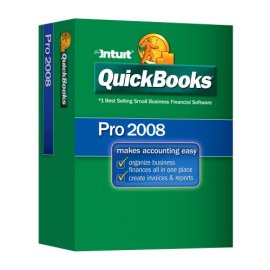
QuickBooks Pro 2008
QuickBooks Pro 2008

QuickBooks Pro 2008

Manufacturer:
Intuit

UPC:
028287016859

Retail Price:
$199.95

#Deals:

Avg. Rating:

Also available: QuickBooks Pro 2008 (3-User Edition) and QuickBooks Pro 2008 with Payroll 2008 Value Pack
Features:
  • Includes built-in tutorials, onscreen help, and free QuickBooks callback support for 30 days following registration
  • Tracks all your financial information in one place, including sales, expenses, and business loans
  • View customer, vendor, employee, and payroll information exactly the way you need it: with contact information, transaction histories, and balances, all visible in a single screen
  • Share data with Excel, Word, and Outlook; easily convert Peachtree data to QuickBooks
Product Description
QuickBooks Pro Edition 2008 makes accounting easy with tools to organize your finances all in one place. Complete tasks like payroll, invoicing, bill tracking and check-writing. With one click, view past-due invoices or overdue bills. Or instantly see your entire account history with any customer or vendor. With QuickBooks Pro, you'll spend less time on routine tasks and more time on business!

Editorial Review
QuickBooks Pro Edition 2008 makes accounting easy with tools to organize your finances all in one place. Complete tasks like payroll1, invoicing, bill tracking and check-writing. With one click, view past-due invoices or overdue bills. Or instantly see your entire account history with any customer or vendor.

Easily track sales and expenses. Quickly create your own professional-looking custom forms such as customer estimated, invoices and reports by using any of the over 100 included templates. Share your data with programs like Word and Excel.

With QuickBooks Pro, you'll spend less time on routine tasks and more time on business. Movies

See how QuickBooks Pro can help your business succeed.

Pro Edition Overview (2:13)

New Features (2:44)

Quickly Pay Bills and Print Checks (0:51)

Invoice a Customer and Apply Payments (1:17)

Answer a few basic questions, and get a customized setup you can change at any time.

Robust new Help functionality allows you to find the information you need quickly and easily.

Easily Get Started


IMPROVED! Import Data from Excel
Excel templates make it easy for you to import your existing customers, vendors, or product information into QuickBooks. You can also assign each column in your existing Excel spreadsheet to a corresponding QuickBooks column. Save these settings to use again the next time you want to pull in data. You can even preview your data before you transfer it.

Import Data from Quicken, Peachtree, and Microsoft Office Accounting
Access the Quicken conversion tool in QuickBooks to convert your data from Quicken 1998 through 2007. If you are currently running your business using Peachtree 2001-2008, Microsoft Small Business Accounting 2006, and Microsoft Office Accounting/ Office Accounting Express, you can also easily convert your data into QuickBooks 2008.

Get Set Up and Running Quickly
Answer a few basic questions, and get a customized setup you can change at any time.

NEW! Step by step coaching for new users to help you learn QuickBooks faster
Get up to speed on QuickBooks easily. The new QuickBooks Coach guides you step by step, so you can learn how to use QuickBooks features faster and explore QuickBooks as you enter your data.

Learn QuickBooks Quickly with Built-in Tutorials
Learn QuickBooks skills as you need them--in your own time, at your own pace. The built-in Learning Center offers short tutorials on basic and advanced features to help you get the most out of QuickBooks.

Upgrade your QuickBooks effortlessly
Easily transfer your existing data file into QuickBooks 2008. Your company file and preferences will transfer automatically. In just a few steps, you can start working in QuickBooks using your information, including customer lists, vendor lists, balances, and inventory lists.

Get Help When You Need It


NEW! Find Answers Fast
Robust new Help functionality allows you to find the information you need quickly and easily as you work in QuickBooks, so you can get back to business. You'll find answers to most questions in QuickBooks in-product onscreen Help. Type a question, choose from a list of topics, or search by keyword.

Enjoy Free QuickBooks support included for 30 days from registration for questions submitted online
Have a question about QuickBooks Submit your questions online at www.quickbooks.com/contactme. We'll email or call you back usually in 30 minutes or less. No waiting on hold!

Tap into the knowledge of the QuickBooks User Community
Visit the QuickBooks User Community to connect with other QuickBooks users and experts to ask questions and share advice. Search or browse through a variety of discussion topics or post your own question.

Choose from dozens of pre-designed QuickBooks templates, or send the key invoice data to a customizable Microsoft Word document.

Use your existing e-mail address to send invoices, statements, estimates, sales receipts, purchase orders, reports, and pay stubs from your QuickBooks to your customers, vendors, employees, and accountant.

Save Time on Everyday Tasks


Easily track and pay bills; set due date reminders
Record bills as they arrive directly from the QuickBooks homepage. Never mistakenly miss a bill due date--QuickBooks will alert you with due date reminders. And when you are ready to pay bills, QuickBooks shows you all bills that are outstanding.

Track inventory assemblies and finished goods
Let QuickBooks track your raw materials and finished goods to avoid overbuying and backorders. Combine them in the appropriate quantities to create "finished goods" items. Each time you log a sale or complete a work order, QuickBooks deducts materials as it increases finished goods. Instantly see how many assemblies you can build with current stock.

Quickly create estimates & invoices
When it's time to bill your customer, turn any estimate into an invoice with one click. Choose from dozens of pre-designed QuickBooks templates, or send the key invoice data to a customizable Microsoft Word document.

NEW! Send estimates, invoices & reports directly from QuickBooks using MS Outlook or Outlook Express
Use your existing e-mail address to send invoices, statements, estimates, sales receipts, purchase orders, reports, and pay stubs from your QuickBooks to your customers, vendors, employees, and accountant.

Download credit card and bank statements
Download cleared checks, deposits, and credit card transactions into QuickBooks to save time on data entry and reconciliation.

See contact information and complete transaction history for any customer with Customer Center.

Select any vendor to see purchase orders, bills, and payments with Vendor Center.

See contact information for any employee and a complete list of checks paid in Employee Center.

Stay Organized and on Top of Your Business


Organize data all in one place with Customer, Vendor, and Employee Centers
  • Customer Center
    Follow up on past-due accounts and answer customer requests faster. See contact information and complete transaction history for any customer.
  • Vendor Center
    Select any vendor to see purchase orders, bills, and payments. Check your account status to avoid incurring late charges. Initiate new payments or purchase orders with one click.
  • Employee Center
    See contact information for any employee and a complete list of checks paid.

Track sales, sales taxes, and customer payments
Easily record sales and create sales receipts for your customers. Set up sales tax codes, and QuickBooks will automatically charge sales tax on all invoices, sales receipts, and other sales forms. When it's time to pay sales tax to your local sales tax board, QuickBooks will also help you figure out how much you owe.

Track employee time and expenses to bill clients
Track time by employee, service, and customer with timesheets in QuickBooks. When you select a client to bill, QuickBooks automatically reminds you of unbilled time and expenses for that client.

Easily export or enter data into TurboTax, or send to your accountant
Be ready for tax time. QuickBooks helps you assign each account in your Chart of Accounts to a specific line on tax forms, so all income and expenses are accurately categorized. Easily export your tax data into TurboTax or provide your accountant accurate data to simplify the tax process.

Create 100 customizable reports, like Profit & Loss Statements and sales reports, in two clicks
QuickBooks comes with more than 100 pre-designed, customizable business reports and a Report Navigator that makes it easy to choose the right one. Create reports,like your Profit and Loss statement and Balance Sheet in two clicks. Plus, you can get the totals you need for tax forms instantly.

Efficiently Manage Employees and Contract Workers


Manage payroll and payroll taxes; offer Direct Deposit 1(paid subscription required)
Build a professional business plan quickly by answering step-by-step questions. QuickBooks fills in the numbers based on your QuickBooks data. You can export the projections to Excel and save it as a PDF file.

Prepare and print 1099s & 1096s for contract workers & federal filing
The QuickBooks 1099 and 1096 wizard will walk you through all the steps to create and print tax forms for you and your independent contractors.

Manage Products, Services and Inventory


Track inventory, set reorder points, and create purchase orders
Easily track your raw materials and finished goods to avoid overbuying and backorders. Import your inventory from Excel or record directly in QuickBooks. You can even indicate re-order points for each inventory good and turn on reminders to automatically let you know when its time to reorder. Create and customize purchase orders directly from the Home Page, and automatically receive against P.O.s when recording bills

Use your company data from your QuickBooks reports and export it to new or existing Excel spreadsheets while keeping all Excel formulas and formatting intact.

Use your company data from your QuickBooks reports and export it to new or existing Word documents.

Easily share your accounting records with your accountant.

Flexibility to Work the Way You Want


Export company data to Excel spreadsheets
Use your company data from your QuickBooks reports and export it to new or existing Excel spreadsheets while keeping all Excel formulas and formatting intact. Anytime you export updated data from QuickBooks, Excel maintains your existing formulas and updates the results automatically.

Create letters with Word using customer data
Use your company data from your QuickBooks reports and export it to new or existing Excel spreadsheets while keeping all Excel formulas and formatting intact. Anytime you export updated data from QuickBooks, Excel maintains your existing formulas and updates the results automatically.

Create and customize professional-looking forms
Create professional-looking forms by choosing from more than 100 expertly designed forms, including invoices, estimates, and sales receipts. Or create one for yourself in Microsoft Word. You can also customize the templates by adding your company logo and tag line to present your business uniquely to your customers.

IMPROVED! Allow your accountant to review data & make changes while you work.
Easily share your accounting records with your accountant. Increase your productivity by allowing your accountant to review historical data and make changes while you work. Seamlessly import your accountant's changes back into your file for improved accuracy.

Easily map and obtain directions to your saved customer, vendor and employee addresses--right from within QuickBooks!
Open up any record in the Customer, Vendor and Employee centers to access links to maps and directions to customer and vendor locations or employee addresses.

Access your QuickBooks data from any secure Internet connection
Access your financial data even when you're not in the office by using QuickBooks Remote Access, powered by WebEx. All you need is an Internet-connected PC. All transmissions are protected by encryption technology used by financial institutions.

Other Tools to Meet Your Business Needs


Print checks and forms directly from QuickBooks to keep better, more accurate records while also saving time
  • Accurate records: All your information will be updated and stored in QuickBooks.
  • Save time: Three out of four QuickBooks customers save at least one-half the time printing checks vs. handwriting them.
  • Check out our deposit slips, envelopes, tax forms, invoices, stamps, and labels--all designed to work with QuickBooks.

We guarantee your checks will work with QuickBooks and your printer, and they will be accepted by any financial institution in the United States-or we will refund or replace your order within 60 days of purchase. Learn More

Save time by accepting all major credit cards and debit cards with QuickBooks Merchant Services
Built into your QuickBooks software, QuickBooks Merchant Services is easy to set up and use. No new hardware, software, or phone lines are required. When you make a sale, the data is automatically recorded in QuickBooks. QuickBooks Merchant Services requires no additional data-entry, and you won't waste hours searching for errors. You can process sales on screens you already know and use. Reconcile quickly, without headaches. This credit card processing from QuickBooks has no teaser rates, no hidden fees, no cancellation fees, and no long-term contracts.

Keep track of your inventory and customer information while you ring up sales
QuickBooks Point of Sale software and hardware save you the time and trouble of doing it yourself, making it easier to focus on the products and services that will keep your customers coming back. Pair Point of Sale with QuickBooks financial software and you can transfer sales information to your financial software-in one click.

NEW! Quickly capture billable hours online and from Outlook Calendar
Free 60-day trial! Time Tracker is the simplest way to track and record employee and contractor time in QuickBooks. Your employees can track their hours from anywhere, using a timesheet on the Web and, now by designating meetings, emails, and appointments in their Outlook calendar for billing! You can download an entire set of timesheets into QuickBooks with one click. Administrators can review and edit timesheets before submitting to ensure accuracy, as well as run custom reports on submitted time.

Meet key business needs with third-party software found at QuickBooks Solutions Marketplace
Find industry-specific solutions that work with QuickBooks and help solve your unique business challenges including specialized inventory and order management, scheduling, document management, multiple billing rates, complex estimating, and project management.
Available from 7 stores
Click any of the offers below to purchase and view accessories on the merchant's website.
StoreRatingBase PriceShipping Your PriceAvailabilityBuy Link
ZoeMart
[Store Info & Reviews]
Covered by A-Z Guarantee
5 Star Rating
50 Reviews
$149.99
New
$4.83
Expedited Shipping Available Expedited Available
$154.82 In Stock. Usually ships in 1-2 business days
4 Available
New, Sealed. Retail. Limited Time Offer!Quickbooks Pro 2008! Ships immediately!
Buy from ZoeMart
from ZoeMart
Buy it now
[Store Info & Reviews]
Covered by A-Z Guarantee
GoSale Trusted Store$199.99
New
$0.00 $199.99 In Stock. Usually ships in 24 hours Buy from Amazon.com
from Amazon.com
Buy it now
[Store Info & Reviews]
Covered by A-Z Guarantee
5 Star Rating
2381 Reviews
$154.23
New
$3.99 $158.22 In Stock. Usually ships in 1-2 business days
1 Available
Buy from Tech For Less
from Tech For Less
Buy it now
[Store Info & Reviews]
Covered by A-Z Guarantee
5 Star Rating
1556 Reviews
$299.00
New
$4.99
Expedited Shipping Available Expedited Available
$303.99 In Stock. Usually ships in 1-2 business days
7 Available
Buy from NothingButSoftware
from NothingButSoftware
TonysMusicBox
[Store Info & Reviews]
Covered by A-Z Guarantee
5 Star Rating
684 Reviews
$189.99
New
$3.99
Expedited Shipping Available Expedited Available
$193.98 In Stock. Usually ships in 1-2 business days
1 Available
Brand new/sealed, in original manufacturer's packaging just like you used to see at any major retail store for $200 + tax (no longer available in retail stores...buy it while you can!!!), 100% satisfaction guaranteed, ships within 2 business days with fre
Buy from TonysMusicBox
from TonysMusicBox
Buy it now
[Store Info & Reviews]
GoSale Trusted Store$195.95
New
$4.99 $200.94 In Stock Buy from NothingButSoftware.com
from NothingButSoftware.com
ApexSuppliers
[Store Info & Reviews]
Covered by A-Z Guarantee
5 Star Rating
796 Reviews
$190.95
New
$8.90 $199.85 In Stock. Usually ships in 2-3 business days
54 Available
Buy from ApexSuppliers
from ApexSuppliers
* Shipping estimates are based on Ground shipment within the continental U.S.
   To report a pricing error or problem, Click Here.
Overview of current deals for the QuickBooks Pro 2008:
  • 1 merchant is offering Free Shipping.
  • 3 merchants have Express Shipping options.

Product Specifications
Product NameQuickBooks Pro 2008
ManufacturerIntuit
Product Number MPN403697
Retail Price $199.95
EAN-130028287016859
UPC028287016859
Weight1 lbs.

Tags

Find other products that have similar tags to the QuickBooks Pro 2008
forms QuickBooks Sale Tax Pro export track report tax forms data customer bill question Record inventory purchase vendor existing employee accountant invoice one place QuickBooks Pro purchase orders sales receipts finished goods company data QuickBooks reports existing Excel spreadsheets Excel formulas formatting intact QuickBooks Merchant Services QuickBooks Pro Edition makes accounting easy bill tracking
Similar Products
Learning QuickBooks 2008Learning QuickBooks 200839.95$36.90Check Prices on Learning QuickBooks 2008
at 4 stores
QuickBooks Customer Manager 2.5QuickBooks Customer Manager 2.579.95$61.39Check Prices on QuickBooks Customer Manager 2.5
at 11 stores
QuickBooks Pro 2009 (PC)QuickBooks Pro 2009 (PC)199.95$170.22Check Prices on QuickBooks Pro 2009 (PC)
at 8 stores
Quicken 2007 Personal Finances (Mac)Quicken 2007 Personal Finances (Mac)69.95$51.69Check Prices on Quicken 2007 Personal Finances (Mac)
at 8 stores
QuickBooks Pro 2007 (Mac)QuickBooks Pro 2007 (Mac)199.99$153.60Check Prices on QuickBooks Pro 2007 (Mac)
at 9 stores
Learning QuickBooks 2008Learning QuickBooks 200839.95$36.90Check Prices on Learning QuickBooks 2008
at 4 stores
Money 2004 Premium DVD BOXMoney 2004 Premium DVD BOX79.95$4.31Check Prices on Money 2004 Premium DVD BOX
at 8 stores
QuickBooks Pro 2008 (3-User Edition)QuickBooks Pro 2008 (3-User Edition)549.95$405.99Check Prices on QuickBooks Pro 2008 (3-User Edition)
at 1 stores
QuickBooks Pro 2006 Financial Software for Small BusinessQuickBooks Pro 2006 Financial Software for Small Business $395.99Check Prices on QuickBooks Pro 2006 Financial Software for Small Business
at 1 stores
Money 2004 StandardMoney 2004 Standard29.95$6.95Check Prices on Money 2004 Standard
at 5 stores

Accessories
Quicken 2008 DeluxeQuicken 2008 Deluxe59.95$58.98Check Prices on Quicken 2008 Deluxe
at 1 stores
Reviews
3 Star Rating  "Quick books 2008"2008-01-05
- Reviewed By jerryfrantz
I have been using QB since 1997. They seem to have lost sight of the simplicity angle. That aside, the real thing that gripes me is the extortion to upgrade every three years because they don't offer the tax withholding service for older editions. Then they try to gouge you with outlandish upgrade charges that are for very little change. They should include the QB tutorial that costs 30 bucks with the program. If you pay for support, that is passable, but the free support is a waste. Essentially, Intuit is looking to milk every cent from customers. The programs are probably the most functional for small business operators, but they are making an opportunity for someone else with their original motives to knock them out of the box. I wouldn't tell you not to buy it, just be prepared for a company that isn't putting your needs first.
 
2 Star Rating  "QB 2008 Pro -- Bad Experience"2008-10-09
- Reviewed By ajrisser
I finally decided to upgrade from the 2004 version which was working well, but felt that in 4 years there would be more than cosmetic improvements. I was wrong!br /br /First, the new "Registration" requirement is painful. You first key in all your information rather than have them extract from the old version. The registration steps requires answering multiple marketing questions for THEIR benefit. After you do all that, you are required to call a phone number which apparently ends up, on hold, in some country in Asia. Now you must answer multiple questions duplicating what you just finished keying in. If your e-mail address has changed (whatever concern that is of Intuit!), you're in trouble Then you're warned that if you should dare to upgrade your computer, you must start the process all over again. Note that I didn't use the term "Customer Service!" It doesn't apply to this Intuit product.br /br /Support is nearly impossible to get unless you want to pay and pay and pay! They advertise a "free" 30 day support system, but just try to get it to work. Good Luck!br /br /The QB 2008 Pro product so far seems to work as well as the 2004 version. It is still the best accounting product for small and very small businesses, but I'll be ready to try out any new, competing, product which comes to the market and offers true Customer Service and Support!br /br /A. J. Risser
 
2 Star Rating  "Designed by accountants, to ensure I will seek out an accountant!"2008-09-30
- Reviewed By User: AXNSRPL36UFQY
Way to confusing to use, and requires way too much time to figure out. I will have to pay someone to do what I bought the program for. Hanging participle, I apologize, but that is how upset I am.
 
5 Star Rating  "Make sure to contact customer service to walk you through setup."2008-09-25
- Reviewed By User: AGBENCD1ZKQDF
Quickbooks is perfect for my small business. It is so amazingly flexable and time saving. I've used it for years now so I have the familiarity bias, but you definitely can't beat it for the price.

Just make sure to get help while setting things up. Their tech support is only free for one month so use it! When you first install it asked some questions about what type of company you are, and if you choose poorly you will have to either set everything up yourself or try to find a better choice (which I'm having to do right now).
 
5 Star Rating  "A Must have for The Business Owner"2008-09-24
- Reviewed By User: A2GQ3DZ48XH5GR
As a QuickBooks Pro Advisor, I recommend this product to ALL of my Clients. Trust me, this will help you tremendously.
 
5 Star Rating  "Hooked on Quickbooks"2008-09-22
- Reviewed By User: A1QE4Z75C92ESD
I bought Quickbooks Pro just a few weeks ago for our first restaurant and I am already hooked!! I love its simplicity - just plug in the field and that's it. Very easy to use even for someone who's never balanced anything more complex than a personal check book.
 
3 Star Rating  "Software is okay but Intuit's high pressure sales tactics aren't"2008-09-18
- Reviewed By User: A2R0IM6KC3CRV
This version of Quickbooks is pretty neat...I just upgraded from 2004 QB. br /When I called to register my QB, however, I couldn't believe how ridiculous their sales tactics were...they tried to sell me other QB related services/products 8 times during the call I made to register my product. Not to mention the endless pop-ups within the software advertising their other services/products. It's ridiculous. A shame that we are pretty much forced to use this software because our accountants do...
 
2 Star Rating  "CONSUMER ROBBERY!!!"2008-09-16
- Reviewed By User: A3TGTNKDCOO4VE
Quickbooks 2008 is a step backwards. I previously used QB2002 and was very happy to continue using it until intuit slowly forced an upgrade.I am very disapointed with the performance of the new version. Intuit does not allow you to transfer the license to another system and will force you to buy another copy inorder to use QB2008 on any additional system, so if you have a laptop & a desk top, you'd better choose carefully which one you're gonna install it on or you'll be sorry. And don't even bother calling customer service because they won't help you, oh & it'll cost additional cash, just to hear the support guy tell you that!!!
 
1 Star Rating  "Bad customer service"2008-09-02
- Reviewed By lovetoread22
Quickbooks don't have any free customer service or tech support (only paid), and they won't give you a refund if you're not satisfied. Once you pay them, it's over a hundred dollars down the drain. And their program doesn't work with Microsoft Windows but instead of fixing it they say Microsoft is to blame. Yikes! I thought they were a reputable company.
 
1 Star Rating  "Horrible Customer Support"2008-08-27
- Reviewed By User: A33UFAJLPK4ZM7
Very, very frustrating registration process. After purchasing the product, I was required to phone (no email, no automatic registration as is common with other software products) Intuit customer support. I was then asked for my phone number -- we have over 15 phone lines in my company, four regional offices, etc. -- but I was told I HAD to give the correct phone number or I would not receive my "Validation Code". I already had the License Number and Product Code emailed to me after my purchase, but now Intuit required a third code -- and they needed my phone number to issue the code. Completely a 1998-era, poor customer service experience for their 2008 product. My recommendation is strongly to BUY SOME OTHER PRODUCT!
 
3 Star Rating  "Wow! Lots of problems with Vista."2008-08-25
- Reviewed By User: A2GKOLNCJ0C6AB
I am a ten year user of QB Pro. Had to get a new version because I bought a new pc with Vista. Had choice of downloading QB Pro from Intuit or buying from Amazon, who I love, and getting a real CD. I like to own the CD in case of reload, etc., so I got it from Amazon. Fast shipping and great price!

I had TONS of problems with program crashing on new install, even with the new QB Pro CD, the new PC and with all Vista updates and with all QB updates downloaded for the new QB Pro.

It turns out that the brand new CD with the updates downloaded does not run on Vista and support eventually had me download the whole program from Intuit and re-install it to get an actual Vista compliant version.

Now it runs fine, but only after several days of problems and only intermittent communication from Intuit's support.

So, if you buy the program new on CD you may still need to download it from Intuit to get a Vista compliant running product. Maybe this knowledge will save you several days of problems and checking and rechecking your own work to find if you did something wrong yourself.

Otherwise seems to be a great product once it runs.

 
Quick Links


Pricing information is provided by the listed merchants. GoSale.com is not responsible for the accuracy of pricing information, product information or the images provided. As always, be sure to visit the merchant's site to review and verify product information, price, and shipping costs. Product and merchant reviews are submitted by online shoppers. GoSale.com is not responsible for the content and opinions contained in these reviews.
© 2008 GoSale.com (S1)


Home > Computers > Software > Business & Office > Accounting > Accounting