

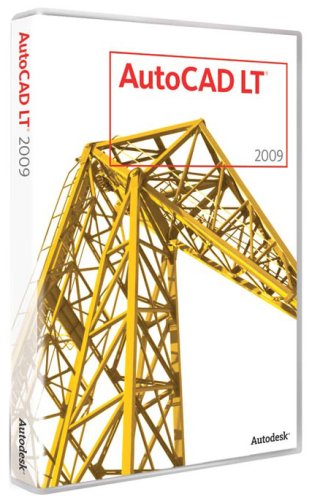
AutoCAD LT 2009
AutoCAD LT 2009

AutoCAD LT 2009

Manufacturer:
Autodesk

UPC:
606122219674

Retail Price:
$1,200.00

#Deals:

Avg. Rating:

Note: The new AutoCAD LT 2010 is now available
Also available:
AutoCAD LT 2009 (5-Users)
AutoCAD LT 2009 (10-Users)
AutoCAD LT 2008
Features:
  • Updated user interface accelerates routine tasks and makes commands easier to find
  • Layer dialog box enhancements--working with layers is now easer than ever
  • Efficient everyday drafting, easy file sharing, simplified plotting
  • Quick view feature uses thumbnails instead of file names, so you can open the correct drawing file and layout faster
Editorial Review
Dramatically increase productivity with AutoCAD LT software, the world's number-one-selling 2D drafting and detailing product. AutoCAD LT is a powerful solution for designers who need full DWG native file format compatibility without 3D capabilities or advanced customization. Increase efficiency with an updated user interface that not only accelerates routine tasks, but also makes commands easier to find, helping new users become productive as quickly as possible. Working with layers is now easer than ever. Move to new highs of productivity with AutoCAD LT software.

Drafting Tools
Across-the-board improvements ensure routine, time-consuming tasks won't slow you down.

Ribbon
The ribbon interface increases overall drafting productivity by decreasing the number of steps to reach a command. The ribbon interface presents command options in a concise visual format, allowing you to quickly select commands based on the work you're doing.Demonstration/New Features Workshop
Learn about new features and enhancements in AutoCAD LT 2009 software.

The ribbon interface increases overall drafting productivity by decreasing the number of steps to reach a command.

The new menu browser interface allows you to browse files and examine thumbnail images and provides detailed information about file size and file creator.

The new layer dialog makes creating and editing layer properties faster and less prone to error.

Menu Browser
Reviewing and working with several files is no longer a tedious and time-consuming process. The new menu browser interface allows you to browse files and examine thumbnail images and provides detailed information about file size and file creator. Plus you can organize recently used files by name, date, or title.

Layer Dialog
The new layer dialog makes creating and editing layer properties faster and less prone to error. Changes are instantly reflected in the drawing as they are made in the dialog. Manipulation of the dialog box is simplified, and columns in the dialog can be individually resized so the contents of that column or its title are not truncated. You can fix individual columns in place so that the rest of the columns can be scrolled through and referenced to a fixed column such as the layer name.

Quick Properties
The easily customizable quick properties menu increases productivity by reducing the steps to access properties information, ensuring that the information presented is optimized for you and your project.

Quick View
The quick view feature uses thumbnails instead of file names, so you can open the correct drawing file and layout faster.

DWF technology is the fastest and easiest way to communicate design information and ensure secure and efficient sharing at every stage of the project lifecycle.

Increase collaboration and the exchange of data with users of older versions of AutoCAD software.

Customers who use Adobe PDF can view and print your design files.

Text Improvements
Manipulate text efficiently by viewing, sizing, and positioning text as you type.
  • Adjust text appearance as needed using familiar tools common in text-editing applications, and easily create multiline paragraphs and bulleted or numbered lists of notes with professional-quality formatting.
  • Use the MTEXT editor to specify the number of columns required, and quickly flow new text between those columns as you make edits.
  • Customize the space between each column of text and the edge of the paper with a simple click of the mouse.
  • Adjust all of these variables to specific values using the dialog box or the new multicolumn text grips.
Annotation Scaling
Annotation scale is now automated. AutoCAD LT 2008 introduces the concept of annotation scale as an object property. Designers can set the current scale of a viewport or model space view, then apply that scale to each object and specify its size, placement, and appearance based on the scale set for the viewport.

Automate Multiple Leaders
Use the multiple leaders panel on the dashboard, with its enhanced tools, to automate the creation of multiple leaders and adjust their orientation (tail or content first) with the notes.

Create and Edit Dynamic Blocks
Save time and standardize drawings by eliminating the need to redraw repetitive standard componentsÑand reduce your cumbersome block libraries in the process.

Simplify Hatching
Create multiple hatches without repetitious use of the hatch command. Easily place a hatch at your preferred origin point, and quickly calculate both individual and cumulative hatch areas.

Seamlessly Interface Design Data
Keep your attention focused on your work as you enter command information and get immediate feedback at the graphics cursor.

Dimension with Greater Ease
Give your dimensions the exact linetype you prefer without exploding and editing them. Avoid time-consuming workarounds to dimension an arc, save time by automating the creation of a jogged dimension line, and flip an individual dimension arrow from inside to outside the dimension line and back.

A single dialog box gives you access to regularly used plot controls.

With background plotting, you can continue working in the drawing editor while AutoCAD LT software plots in the background.

Data Sharing
Take advantage of fast and secure collaboration among team members, no matter where they are.

Publish Intelligent Design Data
With DWF technology you can publish intelligent design data and save time by simplifying collaboration with your design team. At 1/10th the size of other file formats, DWF is the fastest and easiest way to communicate design information and ensure secure and efficient sharing at every stage of the project lifecycle.

Read/Write to Past Versions of AutoCAD
Increase collaboration and the exchange of data with users of older versions of AutoCAD software.

Export Files in PDF format
Customers who use Adobe PDF can view and print your design files.

View and Mark Up Designs
Easily coordinate projects during the design review stage by replacing the paper process with a digital one. Review and round-tripping functionality is free* with Autodesk Design Review software. Mark up drawings with comments, sketches, dimensions, text, and stamps before sending them. Workflow is streamlined, fidelity is increased, and jobs are finished faster.

Plotting
Spend more time designing and less time plotting.

Access Frequently Used Plot Controls
A single dialog box gives you access to regularly used plot controls. View a full preview with an enhanced plot user interface that shows how your plot will look once the drawing is plotted.

Reduce Waiting Time
Spend more time drafting and less time waiting for plot jobs. With background plotting, you can continue working in the drawing editor while AutoCAD LT software plots in the background.

Stay on Top of Plot Jobs
Notifications are sent when plot jobs are completed.
Available from 6 stores - Select your deal and buy the AutoCAD LT 2009
"Where can I buy a AutoCAD LT 2009?" At all of these merchants listed below. Click any of the deals below to buy now on the merchant's website.
StoreRatingBase PriceShipping Price + ShippingAvailability
electronic--depot

[Store Info & Reviews]
Covered by A-Z Guarantee
5 Star Rating
62 Reviews
$929.99
New
$3.99
Expedited Shipping is available Expedited Available
$933.98Buy from electronic--depot
In Stock. Usually ships in 1-2 business days
Just 1 Left!
Platform: PC - New. Factory sealed. Receive free shipping when you purchase 2 or more items from our storefront. Check out our storefront to view everything we have to offer. We do not sell OEM or Student versions of software, so all of our software ar
MicroIdea

[Store Info & Reviews]
Covered by A-Z Guarantee
5 Star Rating
470 Reviews
$999.99
New
$4.99
Expedited Shipping is available Expedited Available
$1,004.98Buy from MicroIdea
In Stock. Usually ships in 1-2 business days
Just 2 Left!
Factory sealed. Same day shipping on orders received before 2:00 P.M. Pacific Mon-Fri.
Buy.com

[Store Info & Reviews]
Covered by A-Z Guarantee
5 Star Rating
35 Reviews
$1,065.99
New
$0.00
Expedited Shipping is available Expedited Available
$1,065.99Buy from Buy.com
In Stock. Usually ships in 1-2 business days
210 Available
Buy AutoCAD LT 2009 for $1,197.55
[Store Info & Reviews]
Covered by A-Z Guarantee
5 Star Rating
3978 Reviews
$1,197.55
New
$12.90
Expedited Shipping is available Expedited Available
$1,210.45Buy from SkyBox USA
In Stock. Usually ships in 1-2 business days
107 Available
The Price Pros

[Store Info & Reviews]
Covered by A-Z Guarantee
5 Star Rating
4857 Reviews
$1,251.01
New
$6.20
Expedited Shipping is available Expedited Available
$1,257.21Buy from The Price Pros
In Stock. Usually ships in 1-2 business days
219 Available
Buy AutoCAD LT 2009 for $1,262.08
[Store Info & Reviews]
Covered by A-Z Guarantee
5 Star Rating
2707 Reviews
$1,262.08
New
$7.10
Expedited Shipping is available Expedited Available
International Shipping is available International Available
$1,269.18Buy from Technology Galaxy
In Stock. Usually ships in 1-2 business days
214 Available
* Shipping estimates are based on Ground shipment within the contiguous U.S.
   If you notice a problem, you can report a pricing error or problem.
Overview of current deals for the AutoCAD LT 2009:
  • 1 merchant is offering Free Shipping.
  • 1 merchant offers International Shipping or Worldwide shipping.
  • 6 merchants have Express Shipping options.
AutoCAD LT 2009 Specs:
Product NameAutoCAD LT 2009
ManufacturerAutodesk
Product Number MPN057A1-05A111-10
Retail Price $1200.00
EAN-130606122219674
UPC606122219674
Weight1 lbs.
Deal first added on:11-April-2008

Tags

Find other products that have similar tags to the AutoCAD LT 2009
software property AutoCAD text increase scale file column LT Data Drafting plot hatch Command Interface Dimension Layer customize dialog redraw plot jobs makes commands Layer dialog feature uses thumbnails instead correct drawing file layout faster ribbon interface increases overall new menu browser interface browse files examine thumbnail provides detailed file creator new layer dialog makes editing layer properties faster DWF technology
Similar Products
AutoCAD LT 2010AutoCAD LT 20101200.00$509.99Check Prices on AutoCAD LT 2010
at 9 stores
Autodesk SketchBook Pro 2010Autodesk SketchBook Pro 2010100.00$87.95Check Prices on Autodesk SketchBook Pro 2010
at 8 stores
AutoCAD LT 2010 - 5 UsersAutoCAD LT 2010 - 5 Users5345.00$3669.99Check Prices on AutoCAD LT 2010 - 5 Users
at 5 stores
AutoCAD LT 2010 Upgrade from AutoCAD LT 2007-2009AutoCAD LT 2010 Upgrade from AutoCAD LT 2007-2009575.00$517.99Check Prices on AutoCAD LT 2010 Upgrade from AutoCAD LT 2007-2009
at 4 stores

Latest 6 Reviews
Here is what people are saying about the AutoCAD LT 2009
5 Star Rating  "Autocad LT"2009-10-08
- Reviewed By User: A2AE5XB8N0T914
This was my first foray into ordering from Amazon. I was pleasantly surprized. There was a glitch in the specifics of my order, Amazon was there to help, but the seller fixed the problem so fast I didn't need any assistance. The seller also deserves a tip of the hat but I couldn't figure out how the site worked. Thanks, A
 
5 Star Rating  "Prefect compatibility with full AutoCAD"2009-07-06
- Reviewed By User: A34VV0DDR0OFE5
I purchased AutoCAD LT 2009 about a week before the 2010 version came out. Doh! Still given the price and the rebate getting the "old" version didn't bother me. I have been using Autodesk products pretty much forever. At work I used the full version of AutoCAD 2008 and at home I've been using an older version of the program - 2000. I decided it was time to upgrade my home version. Since I let the opportunity to upgrade that license pass me by and not really needing or wanting to spend the cash for another full version of AutoCAD, I instead bought the LT version for home use. So far I've found it to be nearly completely comparable to the full version I use at the office. For the most part there isn't much difference between the two versions if all you are doing is 2D drafting. About the only thing that I miss is not having the ability to run my custom Lisp utilities - but for the price I can live with that.

One thing that I think I should mention, the interface for AutoCAD has evolved a lot during the past generations of versions. I, like a lot of long time users like the classic style of menus and toolbar buttons. Thankfully, you can switch the GUI back to the "Classic" style.
 
5 Star Rating  "Improved compared to AutocadLT 2007"2009-05-29
- Reviewed By User: A1YEYUHE9QAVVD
Surprisingly more features were added in 2009 compared to AutocadLT 2007. Insert Raster Image and VPCLIP. I was dissapointed to see the new File Bar setup but you can change it to classic view.
 
5 Star Rating  "AutoCAD LT 2009 (Old Version)"2009-04-30
- Reviewed By User: A2MAYUP38LFSAA
Unzipping the product took a long time (over three hours). After unzipping and installing, had to go back to seller to get license info. It was quickly answered and everything went fine. Program works great.
 
5 Star Rating  "it's time to get-it"2009-04-25
- Reviewed By lbdesign_96
I'm an old school 2D cad designer, I believe I did start with the version 5, I have been using the version the full 2002 for quite a while. At work they have the 2008LT... And I did have to convert drawing after drawing to work at home and it was a problem because many of our customers have 2008 or 2009 (full or LT).

I did think for a long time to get the LT but 1200$ was over my financial capacity. NOW 2010 IS OUT yah! 2009 drop to 850$, Bingo for me.

Now I'm please to see the version 2008 and 2009 are fully compatible. The new tool menu confuse me at first but now I'm use to it, I love-it. And in more than many ways this new "old version" is allot more adapted to my need. I love the PDF compatibility. Now I can easily send to a non cad user a drawing. No more copy and paste in other software or conversion or transfer in something weird.

Also I'm working on a 64bits vista system and with office everything work in harnomy. And I have to recommend to everybody to get dual monitor, have the minimum menu on the main screen and put command line, change menu and the calculator on the second screen. I use the ch menu to get inquiry info all the time. I can edit the dim in no time, the line feature. Text prop. In few words I'm enjoying this new-old version allot.

Now I don't want to know what's new on 2010, leave me happy with this version a lease for a year or so... Na, I will peak. But this is a good version according to me and my need. The price did drop allot and if you wonder, a lease the pain of the money spend will be over-come by the pleasure of this new-old version at decent price, for a home user.
 
5 Star Rating  "great substitute"2009-03-27
- Reviewed By User: AY5HFD6ZUSQHP
if you need to do quick drawings or transfer files between programs & people this is a great product to use. Our firm doesn't do much with 3D in AutoCAD so we don't have an issue using this LT. The new 2009 format is easy to learn & use. Highly recommended & the price is perfect.
 
Quick Links


Last updated: Nov 22, 2009 at 17:40 EST. Pricing information is provided by the listed merchants. GoSale.com is not responsible for the accuracy of pricing information, product information or the images provided. Product prices and availability are accurate as of the date/time indicated and are subject to change. Any price and availability information displayed on amazon.com or other merchants at the time of purchase will apply to the purchase of this product. As always, be sure to visit the merchant's site to review and verify product information, price, and shipping costs. GoSale.com is not responsible for the content and opinions contained in customer submitted reviews.
© 2009 GoSale.com (S1)


Home > Computers > Software > Graphics > CAD