"Regrets, I Dont have them,.." | 2009-11-15 |
| - Reviewed By pallpoul |
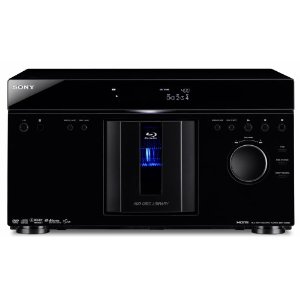
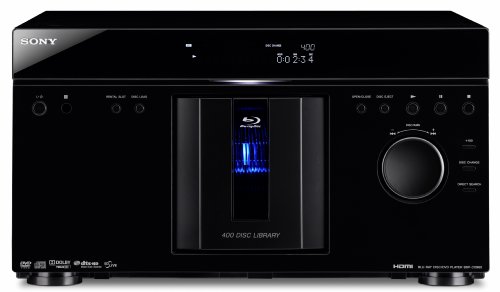
I bought the sony BDP-CX960 to accomodate my ever expanding DVD library that was eating up my shelving space, slowly and surely.
I only read the one review available from amazon when I bought it, and the specs from sony [...]web page.
Having owned multiple sony coponents over the years, I felt comfortable pulling the trigger on this 649 dollars baby.
I briefly read through the manual some before setting it up. I have connected to a pioneer VSX-1019 receiver via the BD HDMI input, outputing to a samsung 58 inches 1080p PN58B650 Plasma TV. the speakers are 4 Polk audio m70's for front and polk cs2 cc speaker and Polk M-60 for saurround rear with 2 Polk audio PSW505 subwoofers,..
All I can say is WOW, WOW,...
THE SONY DBP-CX960 SETUP MENU was very easy and intuitive, smoothly guided me through the all set up, from choosing audio, to picture quality to upscale, etc,.. all were easy and straightforward.
Now came loading the BD and DVD discs. After connecting the RJ45 in the back to my network, I loaded about 100 DVD and BD discs.
Via remote I instructed the machine to load all disc informations, which it does by connecting to gracenote, web site that downloads the discs informations and displays the jackets for easy recognition, as well as genres, actors year, etc,..
well out of 100 disc I loaded, it recognized 100 discs and downloded all there info, some were older one from the mid 90's,... no problem.
the process took somE time, so you bettEr get it started and get busy with another project. I did not time the process, but for the 100 disc I think it took about 1 h +/- 5-10 min.
The picture quality is amazing, and the sound could not be better.
Now i can sit in my favorite chair, flip through my DVD collection and not worry about loading the disc...that is what I was looking for.
No need to manually enter any information, wow,..it is about time somebody made good use of the internet in this business.
By the way you can do the same for audio cd and other media format.
It can connect to your computer via your network and displays picture, music and movies,.. not bad at all.
The list goes on and on,.. in a brief summary, the machine has lived up to my expectations so far, after one month of use, and has delivered what Sony has proclaimed. Great picture, excellent sound, HDMI connection, and others connections, and easy set up and operation.
If you are debating weather to spend the extra buck on this baby, and want to treat yourself for an early X=Mas gift, go ahead, take the plunge, the price keeps falling,.. it is in my opinion worth the price i paid for it.
Hope you'll find this helpful |
| |
"Compelling Product, Well Executed" | 2009-11-01 |
| - Reviewed By User: A2879HYLNYIOBE |
I've owned this 400 blu-ray disc changer for a few days, and I'm very pleased with it. The addition of of blu-ray capability to the carousel disc "megachanger" was inevitable, but what makes this really remarkable--and a net time saver--is that with an ethernet connection, it automatically catalogs all of your disc information using gracenote in just a few hours. Of 220+ disks loaded, it missed about 15. Frustrating though it is to have to enter this data by hand, it can hardly be blamed on Sony. Once identified, the machine remembers the discs gracenote missed.
Overall, this is a great blu-ray player. It's quick and quiet. Easy to load. Great image and sound quality. Much better for DVD playback than the PS3 I was using previously. Only caution for people considering it is that it is very large -- standard width, but 9" tall and over 21" deep! Make sure you have the room for it.
Overall, I'd say this dramatically enhances the value of my DVD collection by making it much easier for me to remember--and quickly access--the discs that I've bought over the years. |
| |
"Great Player but Gracenote needs some work." | 2009-10-27 |
| - Reviewed By houssic |
It is almost impossible to expect a computer to recognize 399 discs (the rental slot I left open...good feature) right off the bat.
I loaded my grandfather's DVD collection which is over 2000 discs so we barely made a dent. He likes mainly classic films like Bette Davis, westerns, Gone with the Wind, War movies, etc. He also has an extensive War Documentary Collection around 200.
Set up was fast and easy once we purchased the right internet repeater. There is a ethernet connection that is required for Gracenote to work. The system works when you directly plug it into your internet router or if you get a system like the following. [...] That is very easy to use. You plug your router into the ethernet adapter and then plug the other adapter near your DVD player, hook up the ethernet cable to your DVD player and you are ready to go. Make sure you plug the NETGEAR ethernet adapter directly into the wall though, it will not work through a surge protector I found that out after about an hour, I should have read the directions.
We decided to load all of the War Documentary, Betty Davis, and some classic Comedy (Lucy, Carol Burnett, Benny Hill) 399 discs into the player. It took around 2:30 hrs to complete the load with all of the discs. A big problem though, Only 281 discs were recognized. I had to leave so I couldn't figure out which ones loaded and which ones didn't. The Blue Ray discs were all recognized by GraceNote but I think some of the old westerns and classic films were not. I wish that Gracenote had a way where you could access the internet and send the info to the player. I haven't looked into it too much though.
Everything else was good so I def recommend this player.
I do suggest that you write down what you put into what slot while loading your discs so that you don't have to play the movie to see what it is before manually inputting the title, year, genre etc. That would take a long time since it takes about 10-20 seconds to load a DVD once you ask the player to play it. I found that a little disturbing. A regular DVD player takes around 8 seconds to load the DVD. Once you press play on a normal 1 disc DVD player the DVD starts playing pretty rapidly. This 400 disc player takes a little bit of time. So if you don't know what is in slot 243 and you want to manually input the data, you have to wait 20 seconds for the player to load disc 243 to see what movie is in the slot. Or you will have to sit by the 400 disc player and press 243, eject, look at the DVD and then manually input the data.
Oh and get a comfortable chair if you are going to put all of these DVD's into the player in one day. Sitting on the floor inputting these DVD's took a while and my back still hurts and I am only 30.
|
| |
"Very nice BD changer" | 2009-10-23 |
| - Reviewed By jamesblack9 |
It's about time an affordable BD changer appeared on the market. Picture and sound quality are equal or better than the PS3 it replaced. Been testing with Planet Earth, and the output is amazing. Also tested the up-scaling using the extended 'Return of the King' DVD, it's output was nearly good enough to keep me from buying the BD when (er. if) it appears.
Thank God for the new interface! It is much faster and easier to use than the old 'Disk Explorer' from the 300 and 400 disk Sony DVD changes.
The disk loading, and Gracenote, do need some improvement. If you just want to try the unit out after newly installing it, then start with only one disk. Because, every time you select the 'Load All Disks' option, it restarts from the beginning (disk 1), even if half of your collection was already stored.
The Gracenote had no info at all for about 1% of my collection. Another 2% had no picture jackets. And, perhaps the most annoying because of the number of times it happened, about 5% of my disks ended up with foreign language titles. You do have the option to over-ride this, which I did, and manually enter a title. Also there is the option to manually select different database entries - but all of the failed BD's had only a single entry. The player did manage to save my manual edits even when the disk was ejected and reloaded. |
| |
"Overall, I love it!" | 2009-10-10 |
| - Reviewed By so-cal |
Initial review (10/09/2009), will update in the coming days:
Overall, I love it! Below are a few things I found while installing the unit:
My current entertainment center could not accommodate the changer due to its extremely large size. The width of the unit is pretty standard for a component; however, the height is 9.5 inches and almost 22 inches deep. My entertainment center does not have adjustable shelving, therefore the changer will not fit, and I will have to purchase a new shelving unit (bummer, but not a show stopper).
Once connected to my HDTV and surround receiver, the unit was very easy to set up via the onscreen guide. Initial set up was pretty quick, loading discs was not.
Okay, on loading my collection of 283 discs, the player began "Loading Disc Information" from Gracenote via the Internet. ***YOU MUST CONNECT THIS UNIT TO THE INTERNET*** or you will be forced to manually type the information into the player. I bring this up as I previously stated that I loaded 283 discs, and all but 12 could not be found on Gracenote. Why is this important? Well, you must type it in manually...... via the remote!! Prior models of this changer had a computer keyboard input for this, however, this one does not. Not a huge deal if it's only a few titles (it was like sending a text message a few years ago before QWERTY keyboards appeared on phones, for the letter "c" you have to hit the number 2 key three times, etc.) Actually, for 12 titles it was painful.
The player connected via the Internet to Gracenote for disc information. This process is time consuming so be patient. The "Loading Disc Information" portion for 283 discs took roughly 2 hours and 45 minutes. Once complete the changer will initially alphabetize your collection and place all the discs that it could not find at the top of each folder (e.g., Photo, Music or Video, etc.) This is where you have to type in the disc information.
Gracenote, hum, not so sure about this. Sort of strange results as I have both a DVD and Blu-ray version of a few movies and they are cataloged differently on the player. One example is "Young Frankenstein" one version is placed under "comedy" and the other under "horror". Also, it appears random, however, Gracenote found the movie "Airplane" which is roughly 29 years old, but could not find or have record of "The Wizard of Oz" on Blu-ray. Also, on boxed sets, it found some but not all of the collection (e.g., "Family Guy" it found disc 1, 2 and 4, leaving disc 3 to be manually entered???)
On BD-Live, pretty cool. You will need a USB thumb drive of at least 1 GB. And, the drive slot is on the back of the unit. So I would recommend that you place the drive in first before you place this unit into a cabinet and connect all the cables, as once you get going and then decide you need it, it's a bit cumbersome getting to the back of this unit (especially since it will be loaded with up to 400 discs, etc.)
On the rental slot, start loading your collection in slot number 2 as the "quick" rental slot is reserved for slot number 1. If you don't plan on using this, which I don't, then begin loading with slot 1. Actually, you can start loading disc wherever you want, just thought I would point that out.
Lastly, many of your DVD's will be located under multiple folders (e.g., Photo's and Video's) as the disc may contain JPEG images, which will qualify them as photo's, etc.
Well, I have only had the player now for roughly 27 hours and love it thus far. I will update this review if I experience any strange behavior or if something dramatically changes my opinion.
|
| |